

Key Takeaways
- I audited 136 product sites’ robots.txt files — zero passed a strict max_discovery preset; most inherit open crawl from User-agent: *.
- The robots-txt-audit skill separates training bots (GPTBot) from discovery bots (Googlebot, OAI-SearchBot) — blocking one does not block the other.
- @-mention the skill with audit_only, your domain, and optional cornerstone URLs; you get a plain-language verdict in chat and a local detail report with the per-bot matrix and a handoff list.
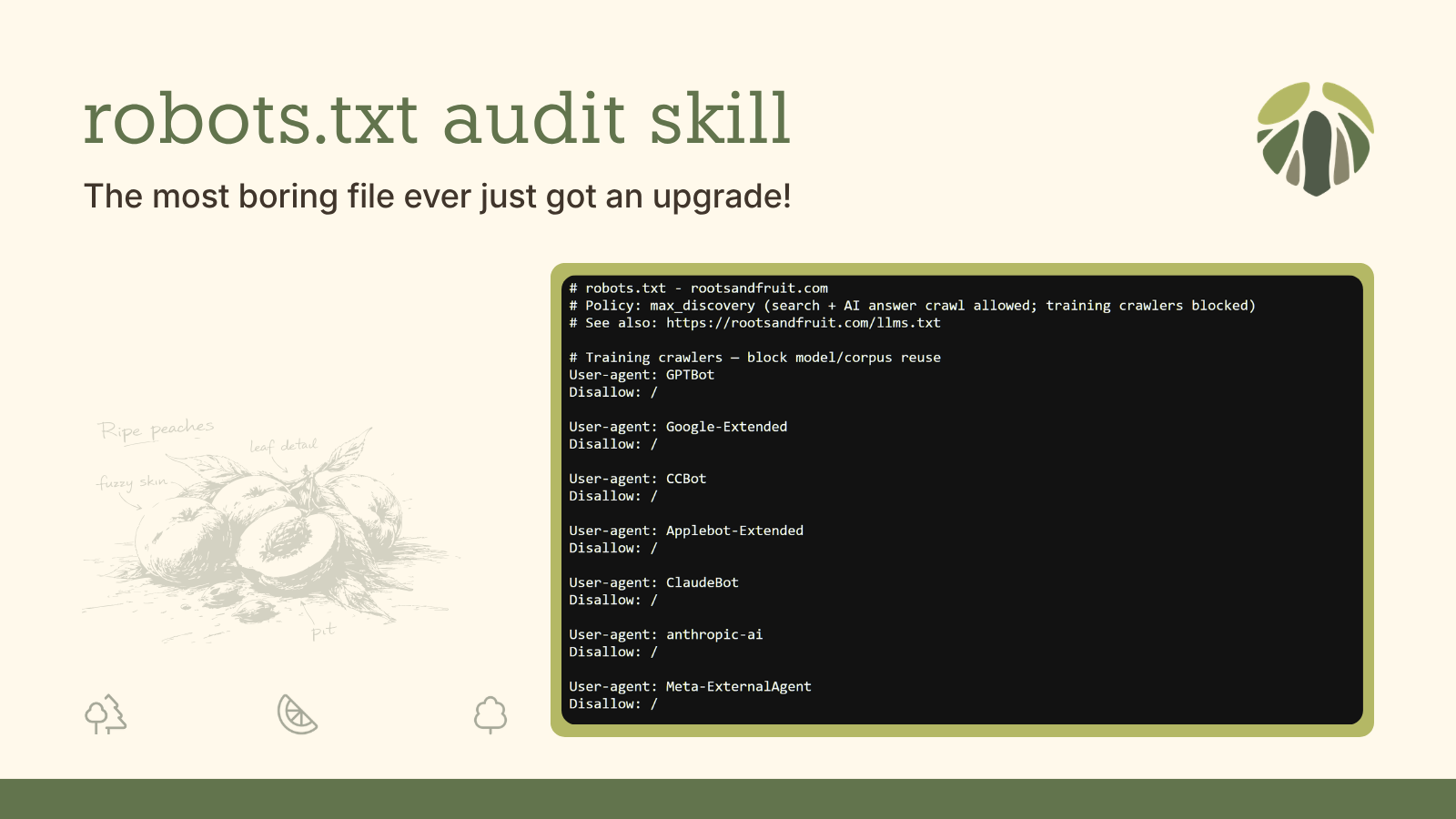
Robots.txt has to be one of the most boring aspects of technical SEO. Well, at least, it used to be. It is now slowly becoming the battleground for AI visibility. After Google basically threw llms.txt under the bus, more and more search and AI platforms are saying they respect and treat robots.txt as authoritative.
That makes robots.txt the perfect place to kick off my series on agent skills for marketing. Introducing: robots-txt-audit.

skills
By Roots-and-Fruit
Cursor agent skills for Roots & Fruit marketing and product development
In this article I am going to walk you through a short history of the file, what it should be doing for your site and why llms.txt is not where I start, what I learned when I batch-audited 136 product vendor websites, and how to run the skill on your own domain in Cursor.
A short history of robots.txt
This tiny file got its origins in 1994, when the web was small enough that a voluntary convention could work: automated visitors read a note at your site root before they fetch pages. The Robots Exclusion Protocol was formalized much later — RFC 9309 landed in 2022 — but the habit was already decades old.
For most of that time, robots.txt was a boring file that did a boring job. Block /wp-admin/, point crawlers at your sitemap. Google and Bing treated the file as the front door. SEO teams only opened it when something was broken.
Then the AI platforms showed up with a new kind of robot: AI crawlers. OpenAI documented GPTBot in 2023. Publishers who had never edited robots.txt suddenly had opinions. Labs split training bots from search and answer bots — different user-agents, different stakes.
Then llms.txt arrived as a curated companion file for AI products. Google’s AI optimization guide told the Search world you do not need that file for rankings. Through all that noise, robots.txt is what major platforms kept citing when they say they will respect your crawl choices.
That is how a simple text file became an AI visibility lever and why I built a skill to read yours before you change it.
How robots.txt should be benefitting your website
Before we get into the skill itself, it helps to be clear about what robots.txt is actually for on a marketing site today and where llms.txt fits in the stack without stealing the spotlight.
robots.txt answers a narrow question: may this bot fetch this URL? Crawl permission is the whole job; not indexing, not ranking, and definitely not a “hide-from-Google” switch. A Disallow rule only tells a bot not to request a specific path. By focusing only on telling bots what it should or shouldn’t crawl, your marketing wins become pretty straightforward:
- Declare your sitemap: tell the bots where everything’s at
- Disallow admin paths: prevent search result confusion
- Allow training or indexing: allow/disallow training bots versus answer crawlers
That last point is where most of the 2023–2026 confusion comes from. Training bots like GPTBot, CCBot, and Google-Extended ingest content for model training or building their indexes. Discovery bots like Googlebot, OAI-SearchBot, and PerplexityBot find and retrieve content for search results and AI answers. Blocking GPTBot does not block ChatGPT from mentioning your brand when a user asks a question. Those are different fetch paths — and user-triggered fetches like ChatGPT-User and Perplexity-User are a third class again. They may not respect robots.txt the same way bulk crawlers do.
Google documents the training-versus-search split explicitly. Google-Extended is a standalone token for opting out of Gemini training — it does not affect your inclusion or ranking in Google Search. If your goal is training-only limits, you block Google-Extended, not Googlebot. OpenAI documents GPTBot and OAI-SearchBot separately for the same reason. Anthropic now publishes three tokens — ClaudeBot, Claude-SearchBot, and Claude-User — for training, retrieval, and user-triggered fetch respectively.
Robots.txt has become so significant and a bit challenging to understand that Cloudflare now offers a managed robots.txt service. They prepend training-bot blocks at the edge and keep the list updated so you do not have to chase every new crawler name yourself. That is a real answer if you are on Cloudflare and happy with their default choices for your site. But it isn’t the whole job. When you add your own rules to your file, the crawlers still read one merged file at /robots.txt, your origin rules still matter for sitemaps and path hygiene, and robots.txt is still authoritative for your site.
But it all depends on your policy. For example, the BBC website has taken a pretty strong stance against all bots in their robots.txt:
# version: 639936d0986d41192594c2578b90fa570430630d
# The BBC's Terms of Use: https://www.bbc.co.uk/terms
# - Explain the rules for using our services
# - Tell you what you can do with our content
#
# In short: Please use our site like a human, not a robot.
# That means:
# - No scraping, crawling, or systematic extraction of content
# - No use of BBC content for training or fine-tuning AI models, including large language models (LLMs)
# - No retrieval-augmented generation (RAG), AI-powered search, agentic AI or grounding using BBC content
# - No creating datasets from BBC content
# - No text and data mining (TDM) under Article 4 of the EU Directive on Copyright in the Digital Single Market
# - No using BBC content to create summaries for your own use
# - No business use without permission (details: https://www.bbc.co.uk/usingthebbc/terms/can-i-use-bbc-content-for-my-business/)
# - The BBC reserves all rights in its content and expressly opts out of any statutory exceptions in any jurisdiction for text and data mining, as permitted by law
# TL;DR: Browse, read, watch, enjoy - like a human.“Browser like a human”. I like it. But it’s an opinion catered to their website purpose and content.
Other online publishers are getting more strongarmed about their use of robots.txt as well. This piece goes deep on how they are trying to opt out of Google Search completely until Google stops using multi-purpose bots that both scrape and train its AI.
So when I talk about robots.txt benefitting your website, I mean defining a crawl policy that responsible bots are supposed to respect. Simply, it should declare your sitemap, protect wp-admin and cart paths, and optionally also block training crawlers while still welcoming the bots that surface you in search and AI answers.
What about llms.txt?
In contrast, llms.txt is a different job entirely. It answers: if an AI product looks at us, here is what we want highlighted. I treat the two files as complements — crawl permission on one side, curated AI story on the other — but I do not audit llms.txt in this skill, and I do not recommend leading with it when the question is Google visibility. But your robots.txt could call it out just like it does the sitemap; but that’s purely optional.
The relationship between the two files is still evolving and not fully proven. The bet I’m operating by is that Google and the major crawlers that respect the Robots Exclusion Protocol will keep treating robots.txt as the authoritative crawl-permission file more reliably than they treat llms.txt. I could be wrong about where this lands in two years, and I want to say that plainly: the GEO file stack is not finished.
Google’s own AI optimization guide backs the robots.txt side for Search specifically. They say explicitly that you do not need llms.txt or similar AI text files to appear in Google Search, including AI Overviews — and that creating them is fine for other systems but neither helps nor hurts your rankings in Google Search.
It’s completely fine if you decide to create and maintain LLMS.txt files (or other similar files) for other services or systems that use these files. Doing so will neither harm nor help your site’s visibility or rankings in Google Search, as Google Search ignores them.
Google Developer Blog, “Mythbusting generative AI search: what you don’t need to do”
It’s up to you though; maintaining llms.txt may still be worth your fifteen minutes. The llmstxt.org spec is a community proposal which seems to be gaining some traction. Adoption data depends entirely on which population you measure. In my audit of product websites (more on that below); 71 of 136 targets (roughly 52%) had an llms.txt.
When Casey Burridge ran HTTP Archive data across millions of sites, only about 5.6% of the top 10,000 had a valid llms.txt file. I think the disparity is because I focused specifically on product shops and Saas platforms. These tend to have stronger dev-teams behind them and see AI as being a discoverability opportunity. Product-company marketing sites are sometimes ahead of the broader web.
Casey also noted that major AI platforms like chatgpt.com, claude.ai, and gemini do not themselves publish llms.txt, while some labs do exclusively on their docs sites. Nobody has publicly confirmed these files change citation behavior yet. Casey draws a parallel I find useful: robots.txt was proposed in 1994 and every major crawler respects it today. llms.txt could follow that arc; I guess we’ll find out.
With that frame in place, here is what batch research on real product sites taught me and how it informed the skill I built next.
What analyzing 136 product sites taught me and how that informed this skill
To ground this skill in something other than opinion, I fetched and assessed robots.txt from 136 targets, made up of WordPress plugin and theme vendors, Shopify app marketing sites, and major SaaS brands. I scored each file against the lens of what it would mean to focus on “max discoverability” via your robots.txt: training bots differentiated, answer and search crawlers allowed, sitemap declared, low-value paths tightened.
Here is the snapshot:
| Metric | Count |
|---|---|
| robots.txt captured and assessed | 127 of 136 |
| No usable robots.txt (403, HTML masquerading as 200, 404) | 9 |
| max_discovery compliant | 0 of 127 |
| Sitemap: declared | 110 |
| Missing Sitemap: entirely | 17 |
| Sitemap declaration issues (host mismatch, dead URL) | 27 |
| GPTBot explicitly blocked | 4 |
| Google-Extended explicitly blocked | 3 |
| Googlebot blocked at / | 2 |
| Sites with explicit AI bot rules (any token) | 27 |
| Reversed pairing (Googlebot blocked + Google-Extended allowed) | 0 |
Zero of 127 passed the max discovery bar. I don’t take that to mean these sites are broken, just that product marketing sites aren’t optimizing this file and instead mostly run default crawl options with a dash of CMS hygiene here and there.
If your site does not declare a rule for a given User-agent; then they typically inherit an open User-agent: *. So in the data, you’ll notice only four sites explicitly blocked GPTBot, leaving roughly 111 allowing GPTBot to inherit the wildcard. Maybe that’s an oversight, or accident, or maybe a deliberate bet on staying in the training corpus, hard to say. In contrast, Salesforce and Shopify Partners were among the few with restrictive files; two even blocked Googlebot at /, which is absolutely a discovery problem for a software shop.
Nine targets never returned any real robots file at all; while some of their files served up HTML instead of .txt. For crawlers, the file has to be a .txt or it behave as if no file exists at all.
By segment, WordPress vendors mostly just focus on cleaning up the default WP paths — admin-ajax patterns, WooCommerce log paths, etc. Shopify app marketing sites tend toward the shortest files, often just a sitemap and an open wildcard. SaaS files are the longest and most segmented; named user-agent groups show up there most often.
Overall, while standards and documentation exists, best practices are clearly still not being adopted or advocated for.
When you search for gptbot robots txt, you get OpenAI’s crawler docs, a two-line Disallow: / snippet, and a lot of Reddit threads asking whether to block everything. That advice treats all AI crawlers as one bucket. Katie Keith at Barn2 Plugins posted about this recently:
I saw a talk at WCEU that advised using robots.txt to block training bots. Since then, I have researched this and discovered that while it’s good advice for publishers e.g. news outlets who don’t want to give content away for free, it’s the absolute wrong advice for software companies wanting AIs to recommend their products. Glad I checked, as that could have been disastrous 😬
— Katie Keith (@KatieKeithBarn2) June 30, 2026
It is a good point, and it shows that when it comes to AI discoverability and robots.txt there is no one-size-fits-all policy.
Publisher networks like Raptive explicitly recommend blocking GPTBot for creator sites; rights groups like EFF frame robots.txt as a voluntary training opt-out. That posture fits ad-supported publishing, but it’s not the posture most product marketing sites should actually be running.
Yoast.com is an interesting example case. They publish a rich, hand-curated llms.txt and a robots.txt with their sitemap declared, wp-json blocked, search spam paths blocked, Cloudflare challenge URLs blocked, a named list of scraper bots each hit with Disallow: /, and a link to their own robots.txt explainer at the top of the file. They still do not name GPTBot, Google-Extended, or ClaudeBot, which means those bots all inherit the User-agent: * rules. If you sell SEO trust, separating training blocks from answer crawlers in robots.txt while keeping llms.txt as the curated story is a coherent posture.
The other big stand-out was Figma.com/robots.txt. It’s a whopping 8K+ lines of rules at over 337KB as a text file. Wow! I’m honestly not even sure what to do with that one. I didn’t include Google, Apple, and Microsoft in my audit, but if you compare those to Figma, none of them are even cross 200+ lines.
The through-line for me: the market is not panic-blocking AI crawlers, most files never name training bots at all, and a strict preset is a policy choice not a fair scorecard for what you should actually publish. This whole exercise and research is what pushed me to develop this skill and have share how you can run it.
How to use this skill on your website
My robots-txt-audit.md skill lives in the Roots & Fruit skills repo.
skills
By Roots-and-Fruit
Cursor agent skills for Roots & Fruit marketing and product development
It audits your /robots.txt as the crawl-permission file for search and AI crawlers. It fetches both apex and www, validates Sitemap: declarations, checks cornerstone URLs if you pass them, and splits Cloudflare managed layers when those markers show up in the live file.
It has four modes: audit, recommend, recheck, and generate. The default is audit only, which describes what is live before prescribing any changes or suggestions. It does not deploy files, guarantee rankings or AI citations, or audit llms.txt.
If you read the launch post, you already know about my 3-factor skill invocation method:
01
Invoke
At-mention your skill directly in your prompt. This ensures the Agent goes there first.
02
Goal
State your goal clearly and make sure it’s aligned with the purpose of the skill itself.
03
Alignment
Ensure your prompt goal is aligned with the goal of the skill. Without alignment the Agent infers.
This is how I use the 3-factor invocation3-factor invocation3-factor invocation is a method for invoking an agent skill in your Cursor or Claude chat session to ensure the skill gets leveraged by the agent immediately instead of inferred or completely ignored.
Learn more for this skill:
Use @robots-txt-audit on mattcromwell.com for max discoverabilityI designed the output for two audiences — you, and whatever agent or script you leverage.
In chat you get a layperson-first summary: a one-line verdict, what’s working, what still needs attention split into required, optional, and worth fixing, numbered next steps, and an origin-ready copy-paste block when fixes are needed.
Locally, the skill writes a detail report with the technical details: the full robots content, per-bot crawler matrix, sitemap validation, rubric findings, Cloudflare layer split when applicable, a technical handoff JSON, and any policy violations if you chose a preset. That file is built for agents and playbooks — which are a great way to chain related skills; I have a write-up coming on that soon.
I also wrote a robots.txt audit reference guide that explains each mode and method so you can understand the opinion and perspective the skill is built from. The reference lets you drill into Cloudflare layers, sitemap rules, or Content-Signals, industry benchmark reading, crawl-mix and blocking stats from mid-2026; all useful context for when you are deciding which bots to block and not just go on autopilot.
Prompts to use with this skill
Most importantly, how do you invoke this skill for your website? Keep in mind, while there are some code-like handles in the skill, you are still working with conversational agents. If you know the goal and modes of this skill, you can describe what you want in natural language and it will work. The prompts below show how those handles map to different outcomes; they are examples, not a syntax you have to memorize.
Audit mode — learn what is live without prescribing changes:
Use @robots-txt-audit on example.com with crawl_policy audit_onlyPolicy chosen — training blocks, AI answer crawlers still welcome:
Use @robots-txt-audit on example.com with crawl_policy block_training_allow_answersAfter you publish — verify the live URL actually changed (edge merge can lag a few minutes):
Re-run @robots-txt-audit on example.com — recheck after I published the origin fileRecheck compares against a saved snapshot from your last run: what improved, what is still open, no full first-audit lecture repeated.
Cornerstone paths — pass key_pages (pricing, product, help URLs) so the skill simulates whether Googlebot, bingbot, OAI-SearchBot, Claude-SearchBot, and PerplexityBot can fetch those paths under your effective rules. Crawl permission matters before any noindex on those URLs can be read. The Cornerstone Content Audit playbook passes the same URLs in its crawl-policy phase.
Cloudflare-managed sites — no special prompt needed; the skill auto-detects the managed markers and splits layers as described above. See CLOUDFLARE-MANAGED.md for the full edge-versus-origin map.
Use my robots-txt-audit skill and let me know how it goes
With the research framed and the workflow spelled out, the practical next step is to run it yourself.
skills
By Roots-and-Fruit
Cursor agent skills for Roots & Fruit marketing and product development
Clone the skill from GitHub. @-mention it on your own domain and ask for an audit-only read of what is live first. Read the chat verdict before you change anything; open the detail report when you want the full matrix.
For the longer practitioner walkthrough, like modes, Cloudflare layers, what each check means, see the robots.txt audit reference guide. After you publish fixes, run recheck so you compare against what the live URL actually serves.
If the response surprises you open an issue or find me on X or LinkedIn. I built this for my own marketing work for my sites and my clients’ sites, and the skill gets better when other people run it on sites I did not anticipate.