

Key Takeaways
- A skill is just a guideline for your agent; it won’t give the same answer every time or replace your marketing judgment..
- @-mention the skill to invoke it more directly and ensure the agent leverages it.
- Use my write-a-skill skill to write your next skill. It’s the formula for most of this article and free on Github.
If you’re on X or LinkedIn like I am, you’ve probably been buried in posts from AI enthusiasts who want to fire their whole marketing team and just use Claude instead. They plan to do that because of agent Skills.
There are tons of great libraries out there that have huge promises of how AI can run your whole social media strategy, publish 1000 blog posts at once for you, or just do basic on-page SEO optimization.
I get it. The hype produces a bit of FOMO in everyone: “I need to try these marketing skills! Can I do a ton more output with a ton less work? Sign me up!”
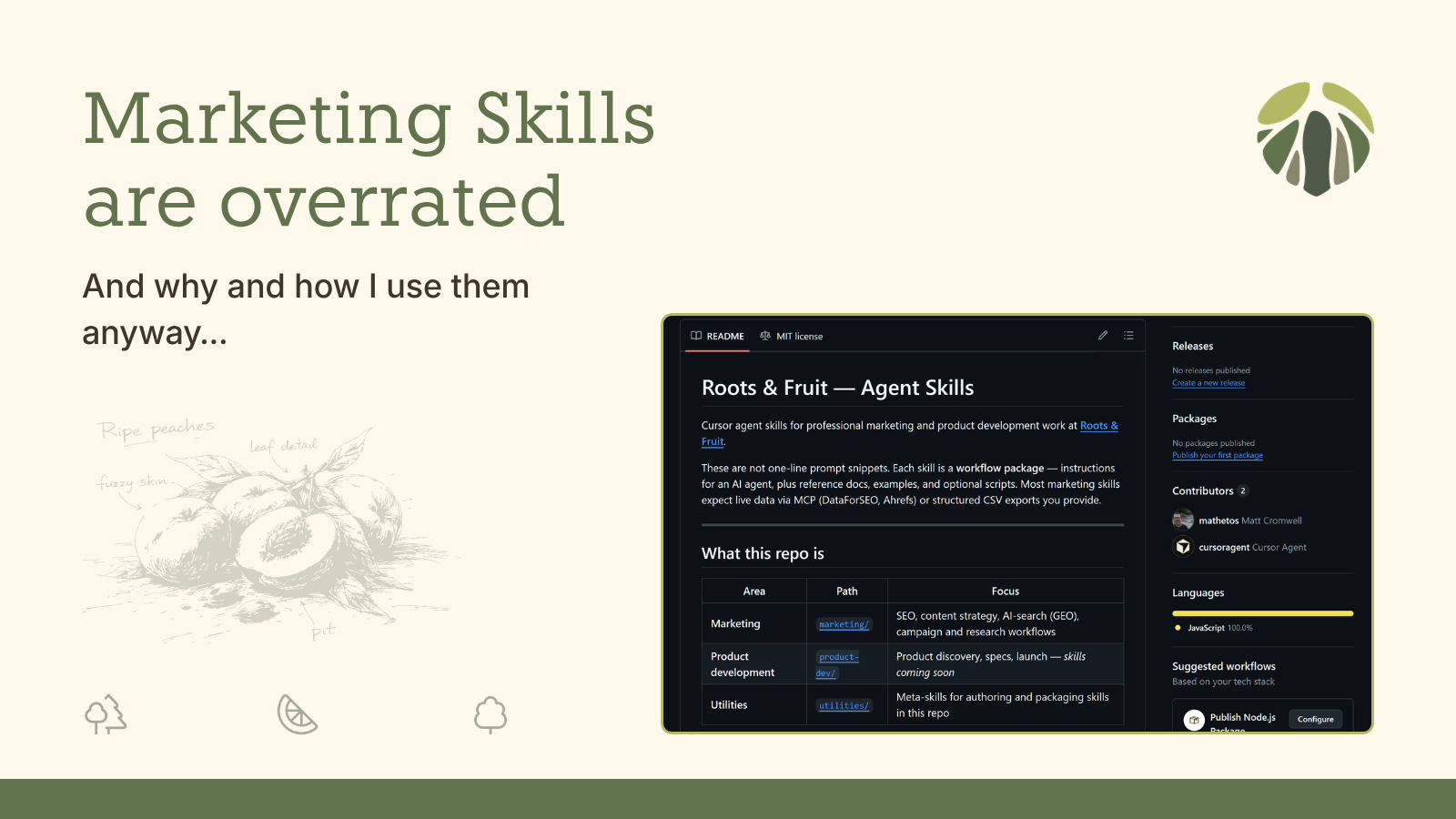
I’m here to tell you: Marketing skills are overrated. But I still use them. As a matter of fact, here they are if you want to skip to the good part:

skills
By Roots-and-Fruit
Cursor agent skills for Roots & Fruit marketing and product development
So here’s what I’m going to tell you. I’ll explain what a skill is and what it isn’t, how I use them day to day, and point you to the things I’ve built. Let’s jump in.
What a skill is and isn’t
The word “skill” gets thrown around a bit, so let’s start with a shared definition.
From a technical perspective, a skill is a markdown file. It opens with what’s called “frontmatter” which is formatted in a way for agents to understand and decide whether the skill is relevant and what to do with it. But don’t think of it like a php function, or a javascript snippet. Those are deterministic things. Every time you run a function, it’s going to do the same thing. Not so with skills.
Think of a skill as a recipe card taped to the fridge. If you’re anything like my wife, a recipe card taped to the fridge is a high-level idea of something she might refer to here and there almost as inspiration. It doesn’t dictate what she’s going to do or produce because she’s an artist, not a machine! AI loves to think it’s an artist too. It’ll look at your skill and think “well that’s a cute idea, but I’ve got a better one!” and start running where it will.
Even the most detailed and strongly scoped skills do not dictate what the AI can or can’t do or which files it should or shouldn’t consider.
Let’s take an example. One of my favorite skills is by James Kemp, Product Owner at WooCommerce. He wrote a Claude Plugin that walks you through a voiceprint so that when you’re writing with AI the end result sounds a lot more like you and not AI. It works pretty well. It’s very rigorous. But the end result is that it produces a skill that’s supposed to inform the AI of how to sound like you in writing. And the AI will reference it, but the human language is huge and incredibly nuanced and personally, I think the voiceprints I’ve produced only get me about 80% of the way to authentic at all. That’s not James’s fault – that’s just the combination of how AI works and the limitations of skills.
Skills aren’t your only option
There’s more to working with agents than just skills, and what you want to accomplish can be done more easily depending on which level of guardrail or context you use. Here’s a quick list of other types tools you can use in Cursor with a reference for how these translate to Claude or Codex:
|
Cursor Guardrail |
When it fires |
Main job |
Claude |
Codex |
|---|---|---|---|---|
|
Often, automatically |
Tell the Agent how to behave in this project |
Code: |
|
|
|
When your request matches the frontmatter or you invoke it directly |
How to run a specific job |
Code: |
|
|
|
Playbooks |
Multi-step orchestration |
Run several skills in order |
Supported in how you write the skill. But CoWork plugins are the closest product version of this idea. |
Supported in how you write the skill. |
|
When you type |
Explicit “start this workflow”, I like using commands as a shortcut to invoke a skill |
Code: slash via skills ( |
|
|
|
When agent uses tools |
Block, audit, or fix what the Agent has done or is doing in real time. These are done with typescript and should be used very carefully and only for very specific purposes. |
Code: hooks in |
|
|
|
MCP + config |
On specific events |
What external systems the Agent can reach out to for more information or to do specific things. |
Connectors = MCP · configured in settings / plugins · CoWork plugins ship authenticated SaaS connectors (Slack, Notion, etc.). Admin deployment controls for teams. |
MCP in |
|
On schedule/trigger |
Unattended, bounded agent runs. Cursor supports these as “Cloud agents” |
Code: less of a first-class “automations” product — you’d use hooks, scripts, or external cron + CLI. |
Codex Automations in the app · standalone (fresh run) or thread-attached (keeps context) · cron schedules · can call |
|
|
Tests / handoffs |
After a skill runs or before ship |
Ensure that the skill output stays correct and compatible. Almost all of my skills leverage both tests and handoffs. |
Supported in how you write the skill. |
Supported in how you write the skill. |
The “work” of Marketing hasn’t changed, but how you do it has
The thing a lot of the AI enthusiasts who promote their skills aren’t saying is that the work of marketing isn’t a one-shot thing. Skills can point your agent to a series of internal docs and tell it what outcome you want from them; but you have to create those docs in the first place and you have to know what outcome you want.
Let’s take the example of competitor research. You can go find online a whole bunch of ways you can do these expansive prompts for chatGPT to research your competitors and you’ll get long expansive responses just by pointing it to the right domain. That works. But it doesn’t mean that it’s meaningful or relevant or helpful information at all.
Real competitor research is a series of activities. You research your competitors one at a time through a series of activities:
- Their value statement
- Their feature set
- Their pricing and packaging
- Their positive customer sentiment
- Their negative customer sentiment
And then you synthesize all of that and start on the next competitor. And you can get AI to do a lot of that work for you but it’s just simply not a one-shot thing that a one-file skill can do effectively.
And then what!? What do you now “know” or “do” with all that information? All the marketing skills in the world can give you a million different opinions, but do they matter? Marketers with experience and insight (and a ton of humility, hopefully!) are what you need for that kind of analysis and guidance.
But I still use skills
If skills don’t dictate things for the agent, then why even use them?
Because they’re still highly useful, but more as a shortcut for the agent to be pointed in the right direction more quickly.
I use them a lot, and they are useful, they just aren’t superpowers, and they have limitations. Using them correctly, writing them well, and leveraging them only when you intend to is how I’ve come to find the most value in skills.
So, no more soapbox. Here’s what I actually do.
The 3-factor invocation method
As I’ve mentioned, skills can easily be ignored or inferred instead of adhered to or followed to the letter. The only tactic I’ve found to ensure that the Agent will for sure start with the skill is if you at-mention the skill directly in the prompt.
For example, I have a robots-txt-audit skill. Whenever I want to use it, I do this:
Use @robots-txt-audit on mattcromwell.com with a focus on maximum discoverabilityBut notice that my prompt has one goal: maximum discoverability. And that concept is described in detail in the skill itself.
That’s the 3-factor method: Ensure the skill has one goal, invoke it directly, and ensure your prompt is aligned with the goal of the skill.
01
Goal
State your goal clearly and make sure it’s aligned with the purpose of the skill itself.
02
Invoke
At-mention your skill directly in your prompt. This ensures the Agent goes there first.
03
Alignment
Ensure your prompt is aligned with the goal of the skill. Without alignment the Agent might just infer.
Because my prompt at-mentions the skill, and the goal of my prompt is tightly aligned with the goal of the skill, I’m almost completely assured that the Agent will not only leverage the skill but follow it very closely.
How and why I write my skills the way I do
First up, here’s the repo for you to test out and review:
When it comes to creating skills for marketing purposes, I am a lot more controlling than most of the libraries out there. And I don’t mean controlling in a “make the AI say the exact same thing every time” way — I honestly don’t think that’s possible or desirable. I mean controlling in a “follow the same steps every time” way. Do this, then this, then this, and don’t quit early, and don’t skip the tedious part. Those steps are the normal activities I used to do myself manually, and now AI helps me do it a lot more quickly.
The skill that encodes all of that is called write-a-skill. This was heavily inspired by Matt Pocock’s “writing-for-agents“, but his was intended more for development work.
Every marketing skill in the library — competitor research, keyword coverage, content briefs, all of it — gets written and maintained through write-a-skill.
When you review the files in my skills repo, you’ll see folders with multiple files. Here’s a quick reference of what they are and do and why they’re there:
SKILL.md is the walkthrough — step by step, what to do, when to know you’re done. Everything else in the package exists so this file can stay short enough that the agent (and you) will actually follow it.
REFERENCE.md is the detail drawer — API names, filter syntax, scoring rules, JSON field definitions, the stuff that’s accurate but boring and long. The agent opens the reference when it needs specifics, not on every run.
REQUIREMENTS.md is the “do you even have what you need?” page. It tells a human what to set up before bothering the agent — DataForSEO MCP, or Ahrefs, or a CSV export, Node if there are scripts to run, that kind of thing. It separates “what to install first” from “how to run the skill,” because those are two different audiences and mixing them up is how you end up running a keyword analysis with no keyword data and wondering why the output is garbage.
EXAMPLES.md is “here’s what good looks like” — sample report snippets, sample handoff shapes, case studies of tricky runs like a mixed-intent SERP. Rules alone don’t show you table layout, tone, or how to handle an edge case. Examples teach by showing.
GLOSSARY.md shows up mostly on meta skills like write-a-skill itself. It defines the words the author uses consistently — right-sizing, handoff, sediment, completion criterion, that kind of thing. When you and the agent (or a co-author) edit a skill six months later, you need one shared vocabulary or you’ll argue about what “done” means instead of fixing behavior.
examples/*.handoff.sample.json files are fictional “here’s a valid payload” samples. They exist when another skill or playbook needs to consume JSON output from this one. A prose description of JSON is easy to misread. A real file — with fake domains, no client data — gives the agent and any downstream tool a concrete target for field names, modes, and version numbers.
examples/*.fixture.json is frozen test input — a fixed pile of keyword data or package layout specs that get used every time you run the verifier. “Did we break something?” becomes a yes-or-no question on the same input every time, not “run it live and eyeball whether it feels worse.”
examples/SCORECARD-*.md is the human-readable test checklist. It lists what each automated check actually means in plain language — something like “email plugin terms must be facet_drift, not serp_native.” When a test fails, you know which rule failed and why it exists, not just that a script exited with an error. It also records version history — v2.2 broke here, v2.3 fixed it — so you don’t delete a check as “noise” because you forgot why it was there.
scripts/verify-*.mjs is the automatic pass/fail. It runs the fixture through the rules, or checks that the folder layout is correct, and prints PASS or FAIL. It catches regressions in seconds before you ship a skill update — especially for logic that agents get wrong repeatedly, like tier labels, priority order, or required JSON fields.
scripts/normalize-*.mjs is the boring math the AI shouldn’t re-invent every run — merging keyword lists, applying tier rules, sorting by priority, that kind of deterministic step. Same input, same classification every time. The agent’s job becomes “gather the data and run the script,” not “re-interpret the rubric from scratch again,” which is how you end up with email marketing plugins outranking marketing strategy on the same keyword three runs in a row.
Each step in my skills is supposed to end with a clear “I’m done when…” line so the agent knows what finished actually means. If it keeps handing me something that looks complete but isn’t, I rewrite those lines before I add another file or a script. Most of the time that’s the whole fix — just being clearer about what done looks like.
Each skill also ends with a “handoff”, I’ll be writing more about this technique, but it’s essentially the easiest way to chain different skills together in playbooks.
write-a-skill also bakes in stop words, or guardrails to prevent the AI from simply inferring things or skipping things. I did that mostly through testing, tweaking, and testing again against my scorecards.
Try a skill and tell me what broke
These finished skills look less like a card taped to the fridge and more like one of those full recipe posts you find online — the kind with a little backstory about why the dish exists, photos of what it should look like when it’s done, notes from the author about what you need in your kitchen before you start, and the serving size calculators. A lone SKILL.md is a recipe card, and it’ll get you somewhere. But the whole package — the examples, the setup notes, the different paths for different situations, the tests that prove the thing still works after you tweak it for the fifth time — that’s what actually drives great outcomes for me. That’s the difference between inspiration on the fridge and a recipe you can actually cook from, again and again, and trust what comes out of the oven.
The library is at github.com/roots-and-fruit/skills. If you’re new to the repo, start with write-a-skill even if you’re not planning to author your own skills yet, it explains why the rest of the library is packaged the way it is. Pick any marketing skill, run it on real work with an @-mention and a goal that matches what the skill was written for. The easiest one to start with is the robots.txt audit skill.
When something doesn’t work the way you’d expect — wrong output, confusing instructions, a test that doesn’t make sense — open an issue or send a PR. If GitHub isn’t your thing, find me on X or LinkedIn and tell me what happened. I built this library for my own marketing work, but I’m actively maintaining it, and the skills get better when other people run them on problems I didn’t anticipate.
Next up in the series I’ll walk through individual marketing skills, what job each one is for, how I prompt them, and what I had to change after real usage exposed the gaps. Grab one, run it, and let me know what you find.