
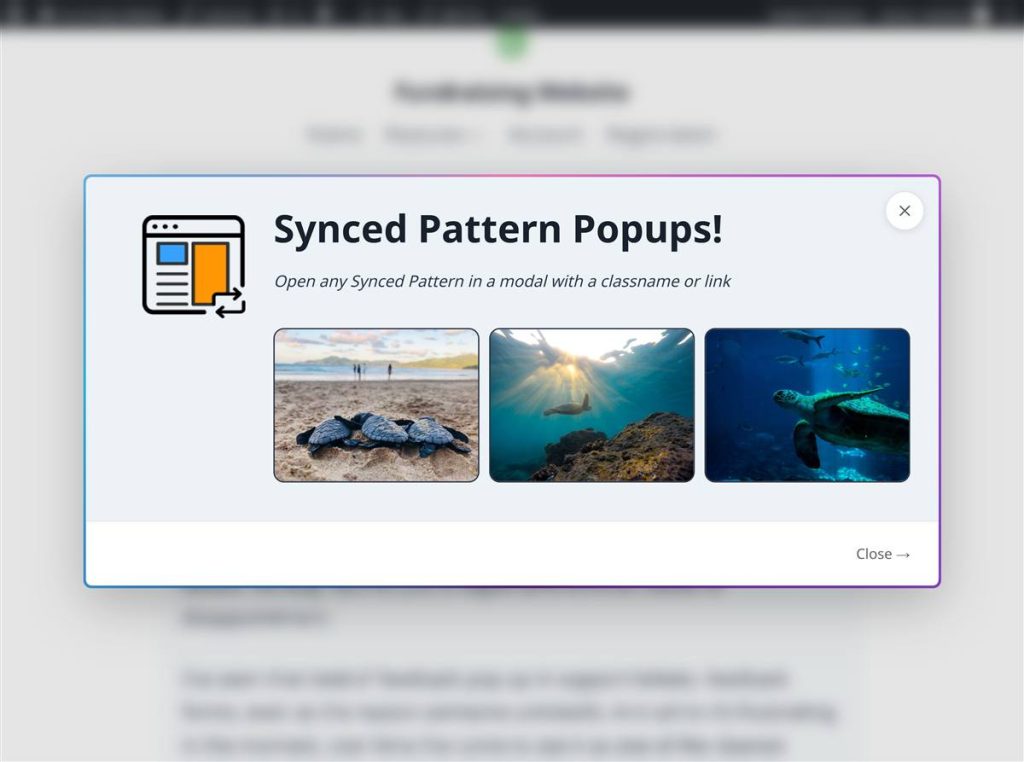
I got tired of popup builders that make you leave the editor. This one uses a synced pattern, so the popup is the same content you already know how to edit.
10+
5/5
7.1
Plugin details
- Version
- 1.3.1
- Requires WordPress
- 5.8 or newer
- Tested up to
- 7.1
- Requires PHP
- 7.4 or newer
- License
- GPL-2.0-or-later
Impressive and easy to use
This plugin absolutely blew my mind. It’s perfect for my simple use case on a one-page site, and I got my pop-ups set up in seconds. I didn’t need to use CSS at all.
How it works
Make the popup in the editor you already have
I wanted a popup to be a synced pattern, so you stay in Appearance → Synced Patterns. Layouts, images, forms, a third-party block: if you can place it on a page, you can put it in the popup. Edit the pattern once and every place it shows up updates, including inside the modal.
Open it with a link you paste
If the pattern ID is 42, the link is #spp-trigger-42. Paste that on a button or a text link. You can also put the class spp-trigger-42 on a block. The patterns screen has a Copy Trigger button, so you don’t have to memorize the number.
The modal stays usable
Escape closes it. Tab stays inside it. Focus goes back to the link that opened it. A long pattern, like terms and conditions, scrolls inside the modal instead of running off the screen. On a Gallery block you can also pick Open in Synced Pattern Popups, so the lightbox carries captions and next and previous.
What people wrote
Impressive and easy to use
This plugin absolutely blew my mind! It’s perfect for my simple use case on a one-page site. It’s easy to use, and I got my pop-ups set up in seconds. The modals are well-designed and have great UX out of the box. I didn’t need to use CSS at all. This is a lot more than I would expect from a free plugin.
Great for quick button modals
This plugin is pretty easy to use. Create a synced pattern (I used a download CTA). Add the Synced Pattern Popups trigger code to a download button. You now have an interactive CTA that pops open a download modal. This is just one of many use-cases. This plugin is very nice and I will be adding an integration with it to the next version of Pattern Wrangler.
Simple great plugin
This plugin is simple and intuitive to use and does exactly what it says. Best yet it uses completely native block editor components and doesn’t try to reinvent the wheel. Instead it gives you the simplest approach for setting up a button or link triggered popup. It also looks accessible, though I haven’t tested that part.
Free on WordPress.org
Make one synced pattern, paste the trigger on a button, and you have the popup. WordPress 5.8 or higher, PHP 7.4 or higher. The current release is 1.3.1.
Why I made it this way
One edit, every instance
Synced patterns already update everywhere you use them. The popup is one of those places, so you don’t keep a second copy of the same offer.
The first load stays light
Popup markup waits until the click. The page someone landed on doesn’t have to carry every modal.
Keyboard and screen readers
Focus moves into the dialog and back to the trigger. I didn’t want accessibility to be a stylesheet you add later.
A command palette shortcut
Managing the popups is in the command palette, next to the rest of the admin, not in a separate app.
Questions
How do I open a popup?
If the pattern ID is 42, the link is #spp-trigger-42. Paste that on a button, or add the class spp-trigger-42 to something clickable. The docs note walks through both ways.
Where is the pattern ID?
Appearance → Synced Patterns. The ID is its own column. Copy Trigger on that row copies the whole trigger, so you can paste it onto a link.
Can one page have more than one popup?
Yes. Each pattern has its own ID, so each trigger opens a different one.
What if it doesn't open?
Check the ID, and check that the pattern is still published and synced. Unsynced patterns are skipped. If the link is printed after the page loads, the troubleshooting note is the next place to look.
Does it work with caching plugins?
Yes. The cache is a WordPress transient, and it clears when the pattern changes.
What versions does it need?
WordPress 5.8 or higher, tested up to 7.1. PHP 7.4 or higher. The current release is 1.3.1.
Keep going
Support
Bug, setup question, or a feature you need. The forum is the place.
Documentation
How to open one, how to change the width, and what to check when it doesn’t.
Feedback
I read the discussion board. A bug, a setup that did not work, or an idea you want in the plugin.